Send a Meeting Recap to Someone Who Doesn't Have Hedy
Hedy can now publish a session as a web page. Anyone with the address opens it in a browser, with no account and no sign-in. You choose what it shows and when it expires.

You finish a call, Hedy writes the recap, and then you need to get it to someone who was not there: a client, a colleague at another company, a family member who could not make the appointment. None of them use Hedy, and none of them are going to create an account to read a single summary.
Publish the session as a web page
Open a session, tap Invite to Session in the triple dot menu, and choose the Public link tab. Pick what the page should show, pick when it expires, and tap Create public link.
On Mac and Windows the address lands on your clipboard as soon as it is created. On iPhone and Android, tap Copy public link.
Whoever you send it to opens it in a browser and reads it, without an account and without signing in.
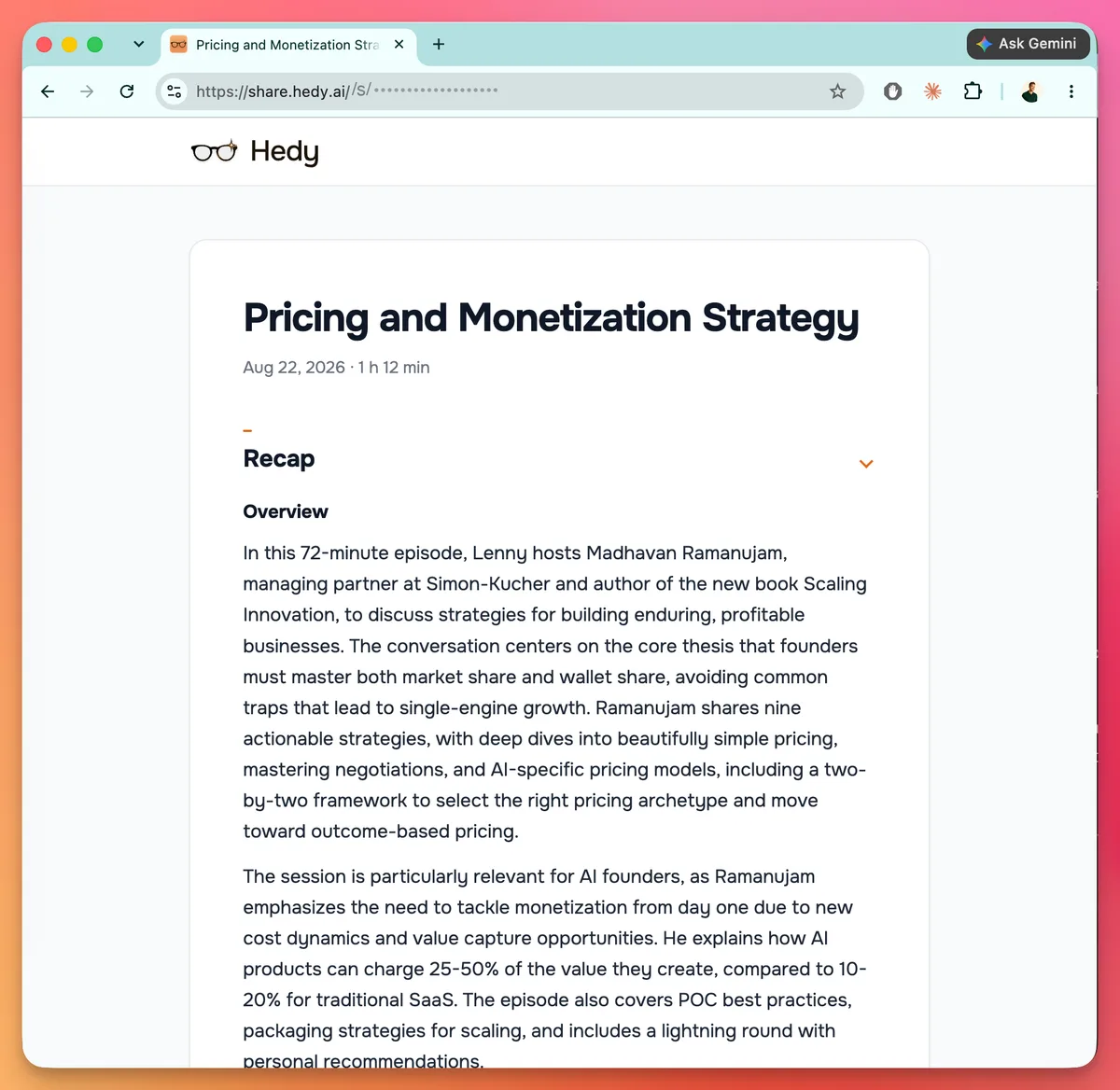
You decide what is on the page
Six things can appear, and you choose them at the moment you create the link:
- Recap, the short summary. On by default
- Detailed notes, the longer write-up, if the session has one
- To-dos, the action items from the session
- Session notes, the notes you typed yourself
- Transcript, what was said, with speaker names where the session has them
- Chat with Hedy, your questions and Hedy’s answers about this session
You need at least one of them switched on. If you want Recap on the page, the session has to have one already; turn Recap off and pick another section if it does not.
Your Hedy display name is always shown, along with the session title, date, and length. Audio is never included in a public link.
Give the transcript a moment’s thought before you include it. It contains what other people said, word for word, and they were not the ones deciding to publish it.
What a link shows is fixed when you create it. Nobody can edit the address to see more than you meant to share. If you want to change what is on the page, revoke the link and make a new one.
Expiry, revocation, and view counts
Pick 7 days, 30 days, 90 days, or never. The default is 90 days. When a link expires the page stops working and the session is untouched.
To take it back, open the session’s share dialog and tap Revoke link, or find the link under Settings → Account. Once the revocation goes through, new opens and reloads stop working. What it cannot do is erase a page someone already loaded, saved, printed, or screenshotted.
In Settings → Account, each live public link shows how many times its page has been opened and the date it was last viewed. Hedy counts views without attaching anyone’s identity to them.
Where this is the wrong tool
Public links are unlisted, not private. Hedy tells search engines not to index them, and each address carries a long random code. But the address is all anyone needs: whoever you send it to can pass it on, and the page cannot tell the difference.
So for anything confidential, regulated, or covered by an agreement, send an email invitation instead. That ties access to the person you name, they sign in to their own Hedy account, and the session appears in their list. A free account is enough on their end.
Use an email invitation when access should belong to a particular person. Use a public link when the person should not have to create an account, or when you do not know in advance who will read it.
Getting it
Public links are a Pro feature, and they work on sessions rather than topics.
You do not need the full Cloud Sync setting switched on. Hedy uploads the single session you are sharing so the page can be served, and asks you before it does. Your other sessions stay where they are.
Update Hedy wherever you use it, open a finished session, and look for the Public link tab in the share dialog. The help article covers the rest, including what each of the six sections puts on the page.
About the author
Julian Pscheid is the founder and CEO of Hedy AI, a real-time AI meeting coach used by tens of thousands of professionals worldwide. He writes about how AI is changing the way people prepare for, capture, and understand important conversations.